
Sankt Kors / Ebbepark UI DesignDesigning a Seamless Experience for a Future-Ready Conference Hub
Ebbepark is a modern conference and co-working destination in Linköping, managed by Sankt Kors. When the building opened, the ambition was clear: to create a venue where physical, digital, and hybrid meetings could happen seamlessly, without friction, and without requiring technical expertise from the people using it.
The technology was already there. A fully installed network of audiovisual systems — sound, lighting, screens, and interactive elements — managed by the same team behind the Swedish Pavilion at EXPO 2020. What was missing was the layer that would make all of it usable by anyone who walked through the door.
My task was to design that layer, across every touchpoint in the building.
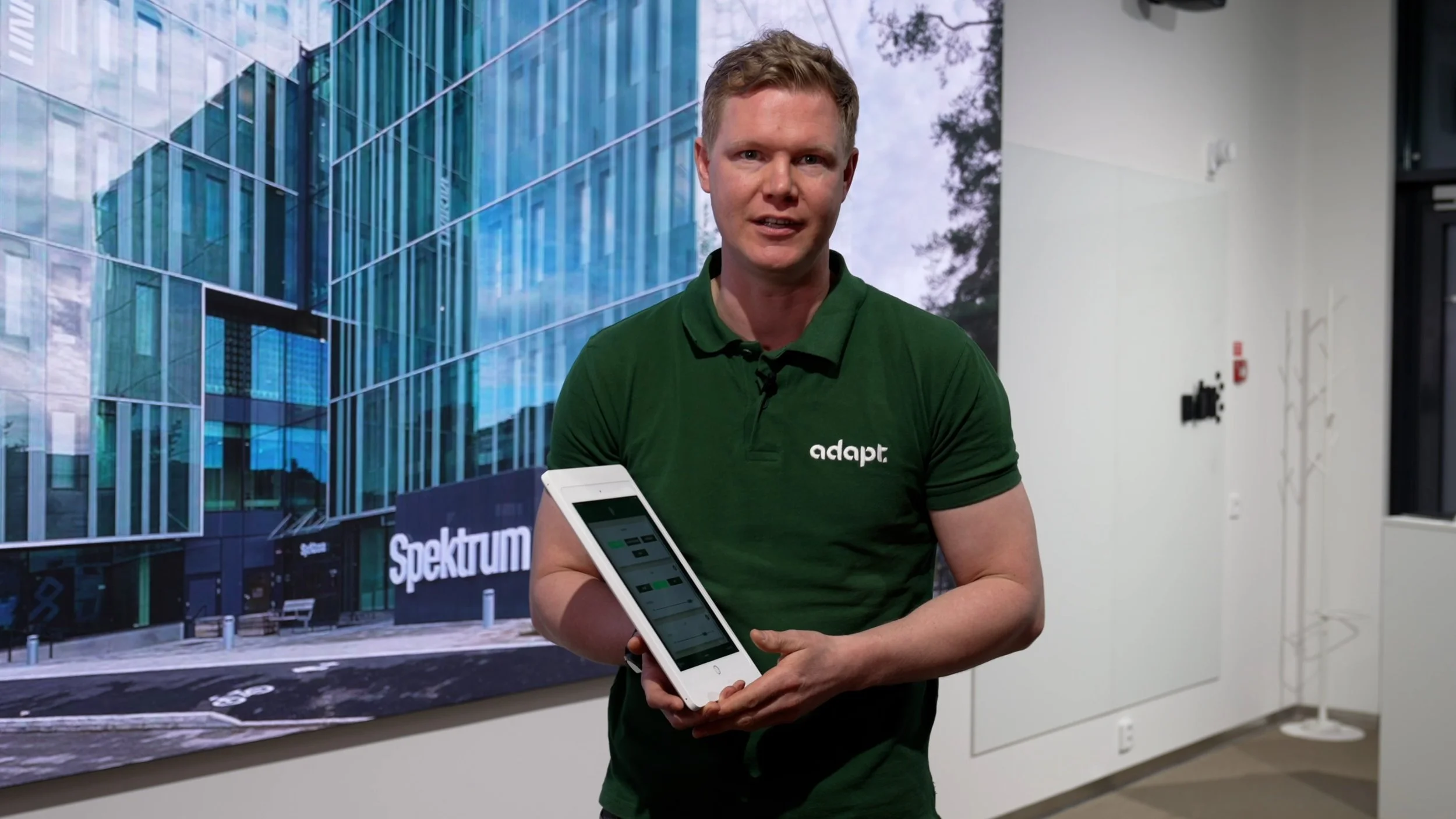
This project was carried out during my time as employed at Adapt Event & Expo.
My role
UX & UI design
Where we startedThe same questions were being asked over and over. The building's technology was advanced, but the experience of navigating and using it was not. The solution wasn't more staff — it was better design.
Research & User Groupsthe SolutionThe building was new, the technology was state of the art, and the front desk was already under pressure.
Despite the sophistication of the infrastructure, visitors arriving at Ebbepark regularly struggled to find the right meeting room. The reception team fielded a constant stream of directional questions — where is room X, how do I get to the second floor, how do I connect to the screen in my meeting room. On busy days this created bottlenecks at the front desk, delays in visitor flow, and a level of friction that contradicted everything the venue was trying to offer.
After interviewing the reception staff about their typical day, the picture became clear. The same questions were being asked over and over. The building's technology was advanced, but the experience of navigating and using it was not. The solution wasn't more staff — it was better design.
The research phase began with the building itself — mapping the physical layout, the natural flow of visitors across the two buildings, the pressure points, and the moments where friction was most likely to occur.
From interviews with reception staff, four recurring pain points emerged:
Visitors unable to find the correct meeting room on arrival
The reception desk overwhelmed with directional and logistical questions during peak hours
No easy way for tenants and visitors to independently control meeting room technology
No clear information about local transport options, leading to more questions for already stretched staff
These four problems became four solutions.


Rather than designing a single interface, the brief required thinking about the entire visitor journey — from arrival to departure — and identifying where design could remove friction at each stage.
Working with Sankt Kors's existing brand guidelines, I built a UI system from scratch that connected four distinct touchpoints into one coherent experience.
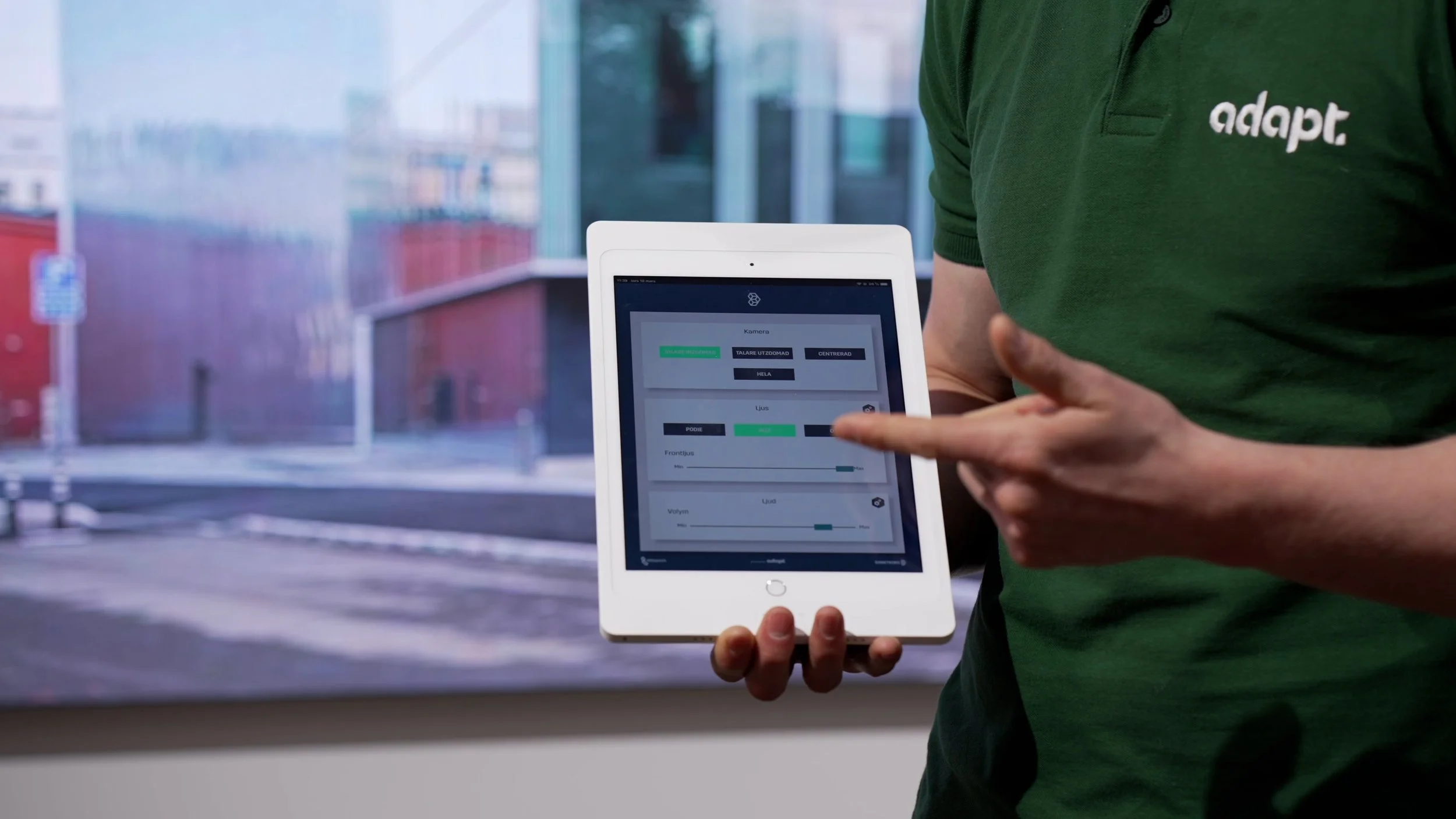
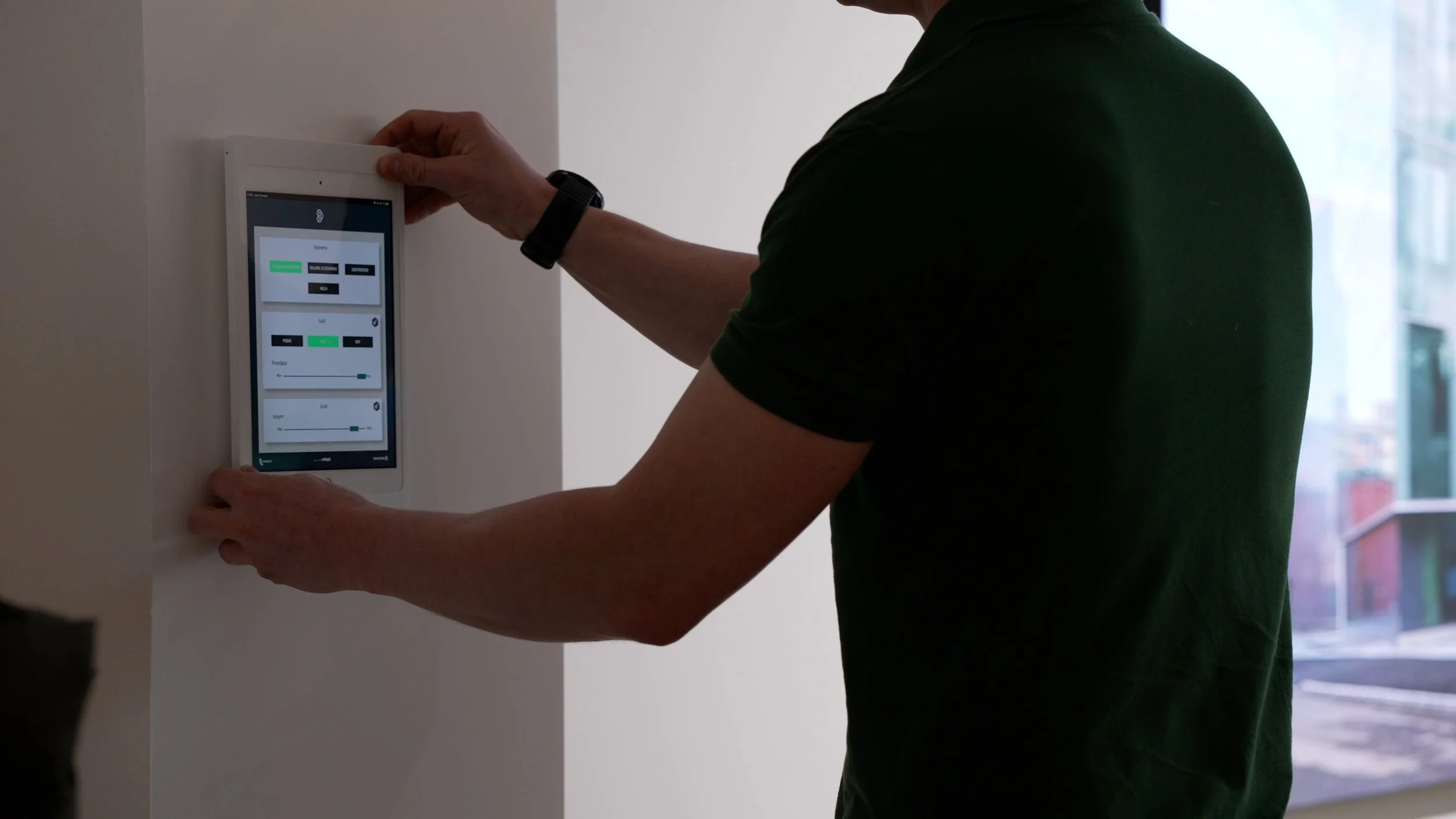
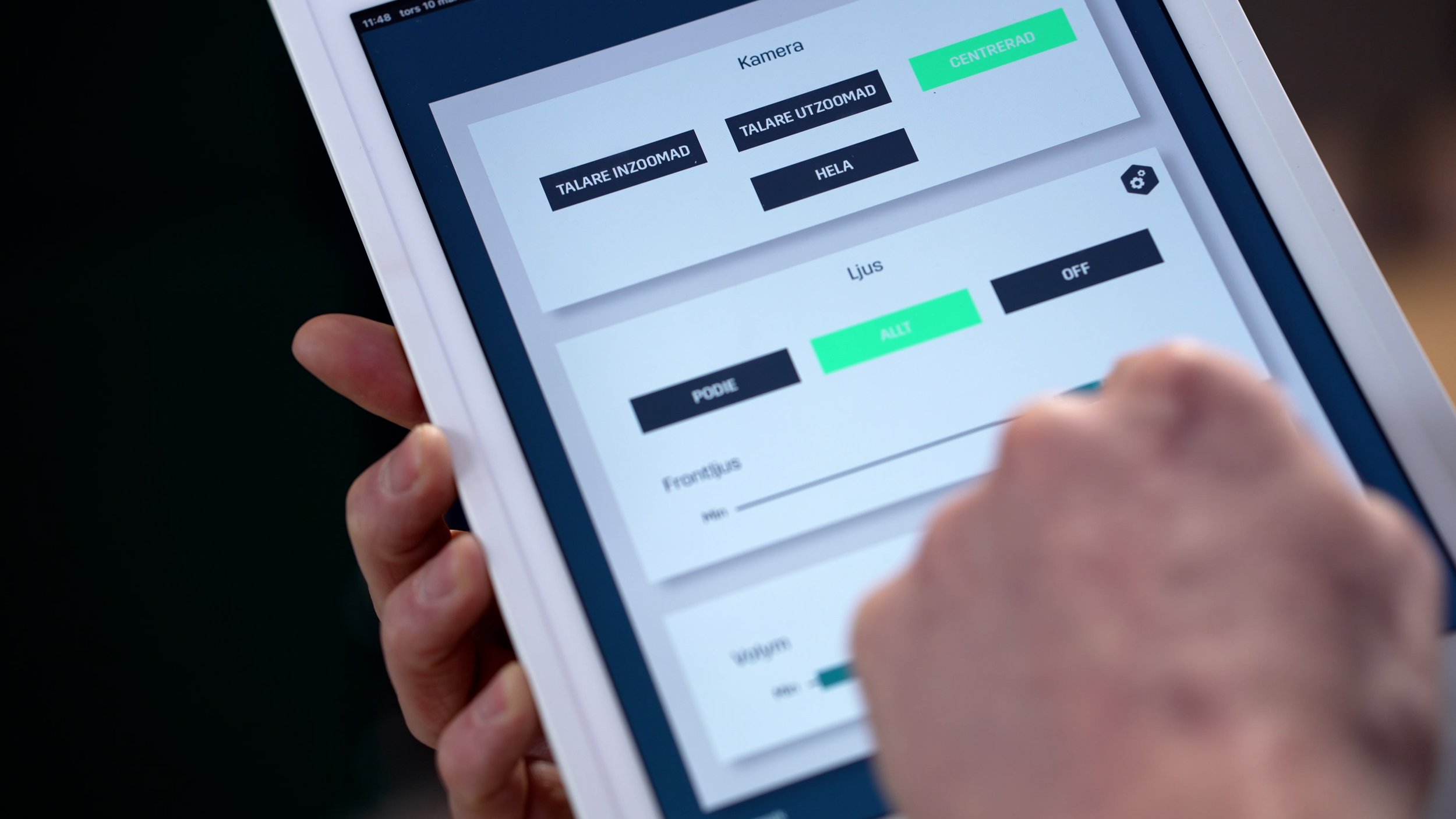
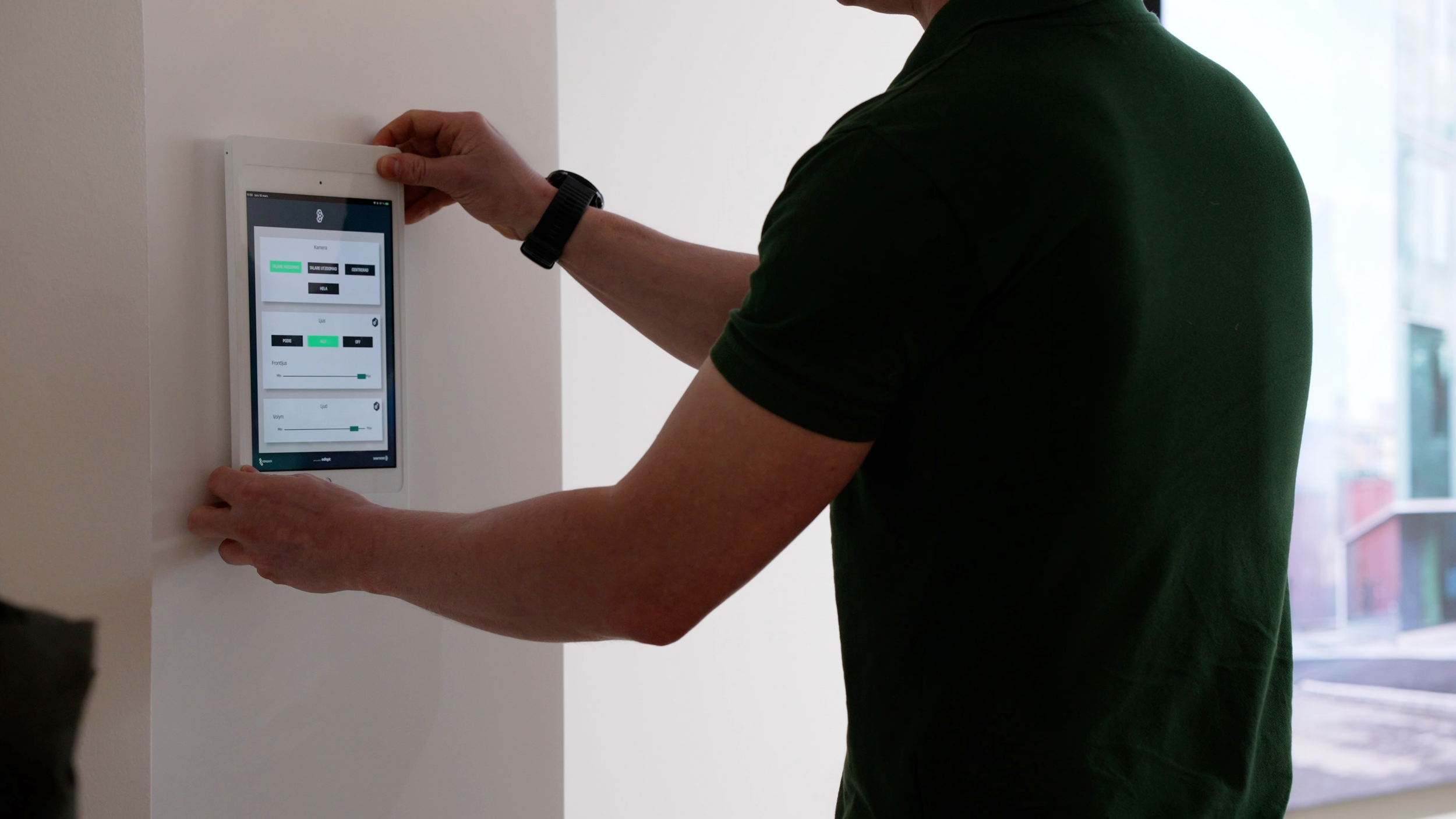
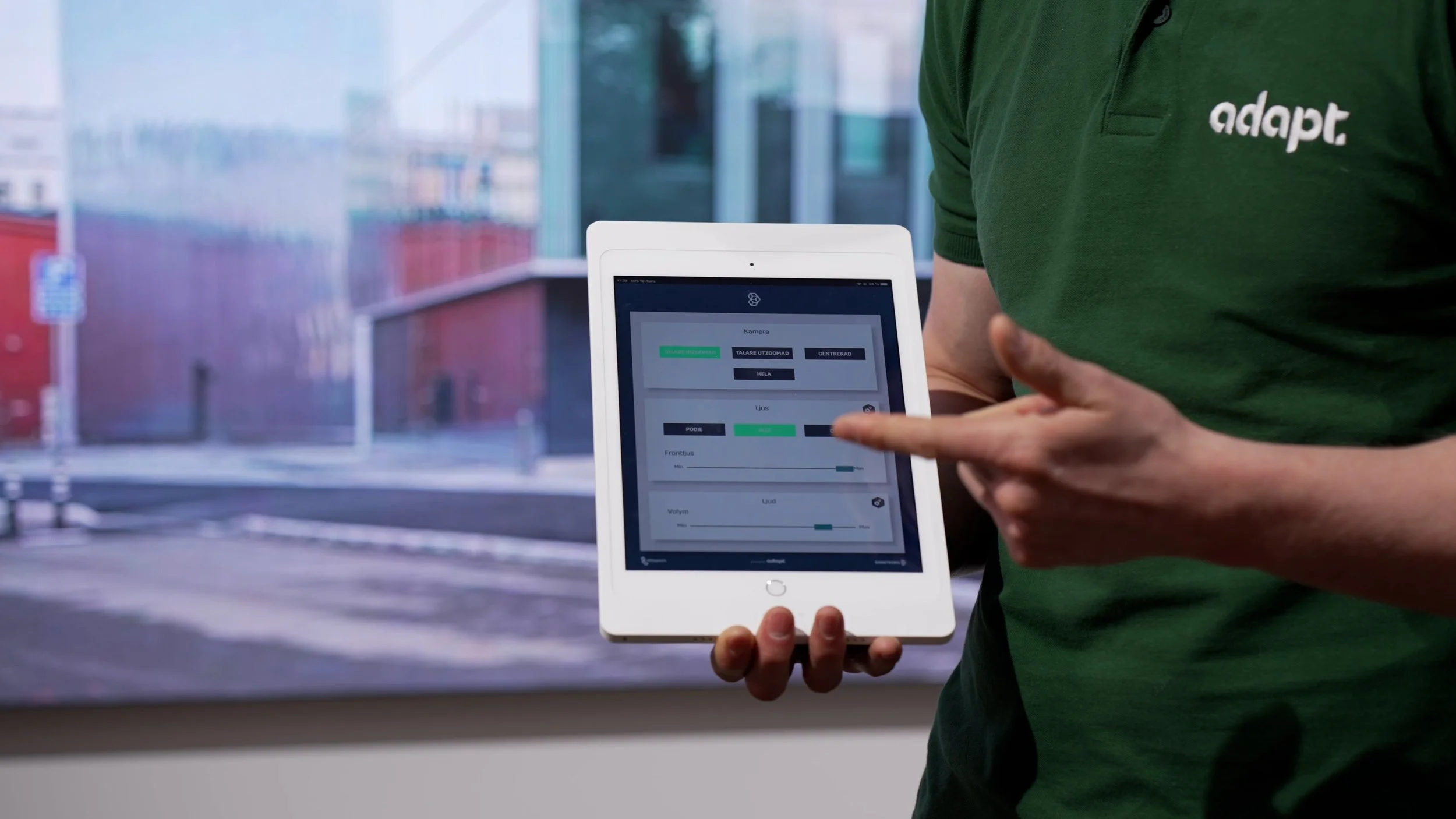
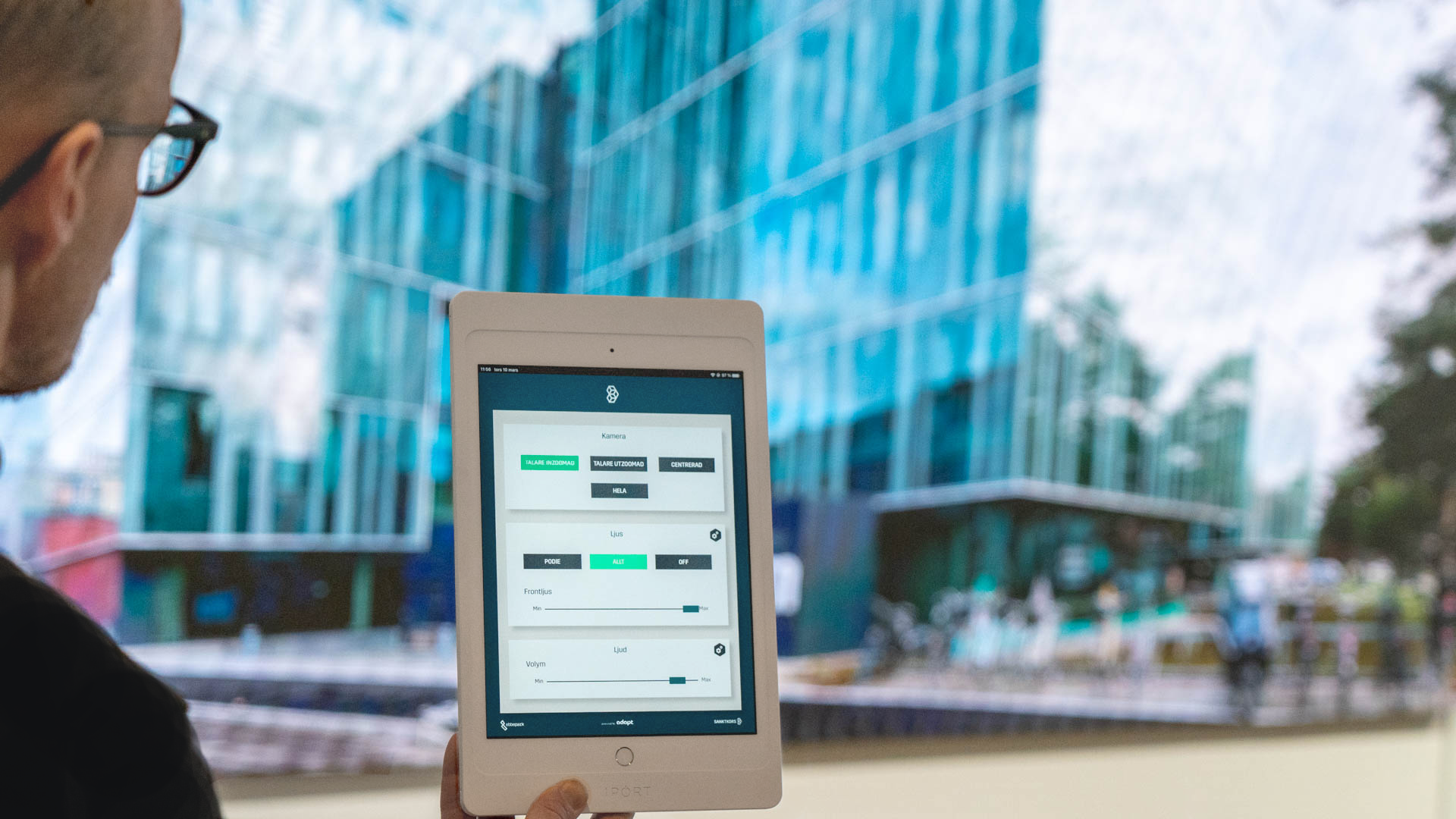
1. Audiovisual Meeting Room Control Panels
Control panels installed across all eight meeting rooms, accessible both on fixed touchscreens and from any personal handheld device. Tenants and visitors could independently control sound, lighting, and visuals without technical knowledge or staff assistance.
Having designed and tested a near-identical system for the Swedish Pavilion at EXPO 2020 — which was running live at the time — I was able to use that deployment as a real-world reference point during the design process. Insights from how non-technical users actually operated the Dubai panels directly informed decisions made here, compressing the iteration cycle significantly.
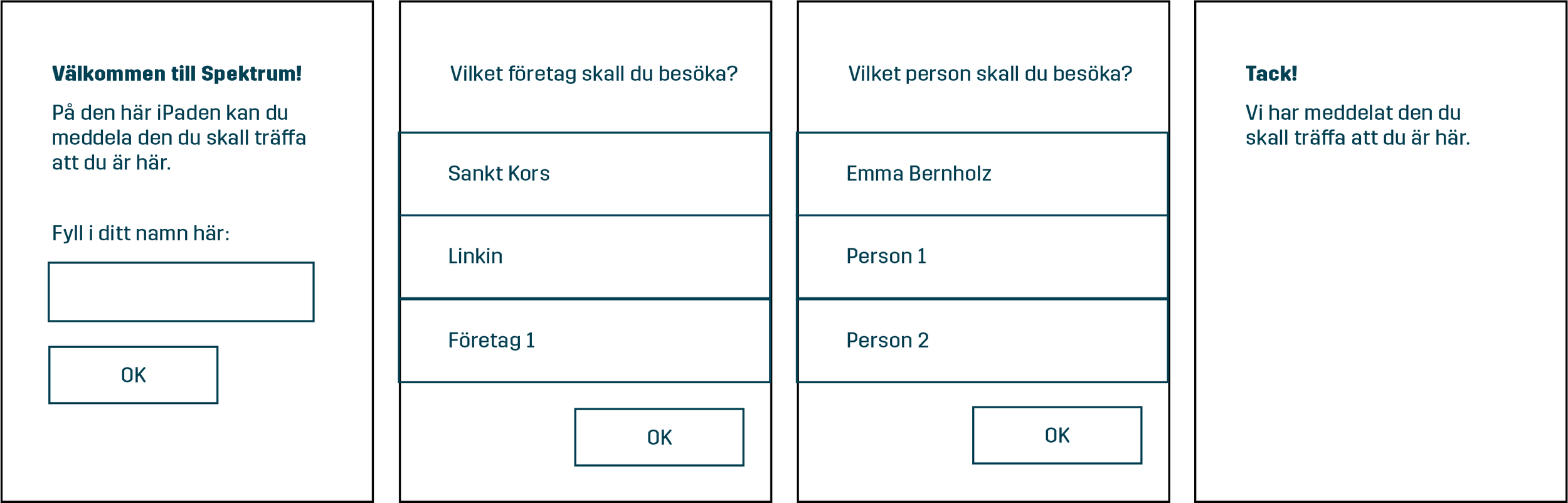
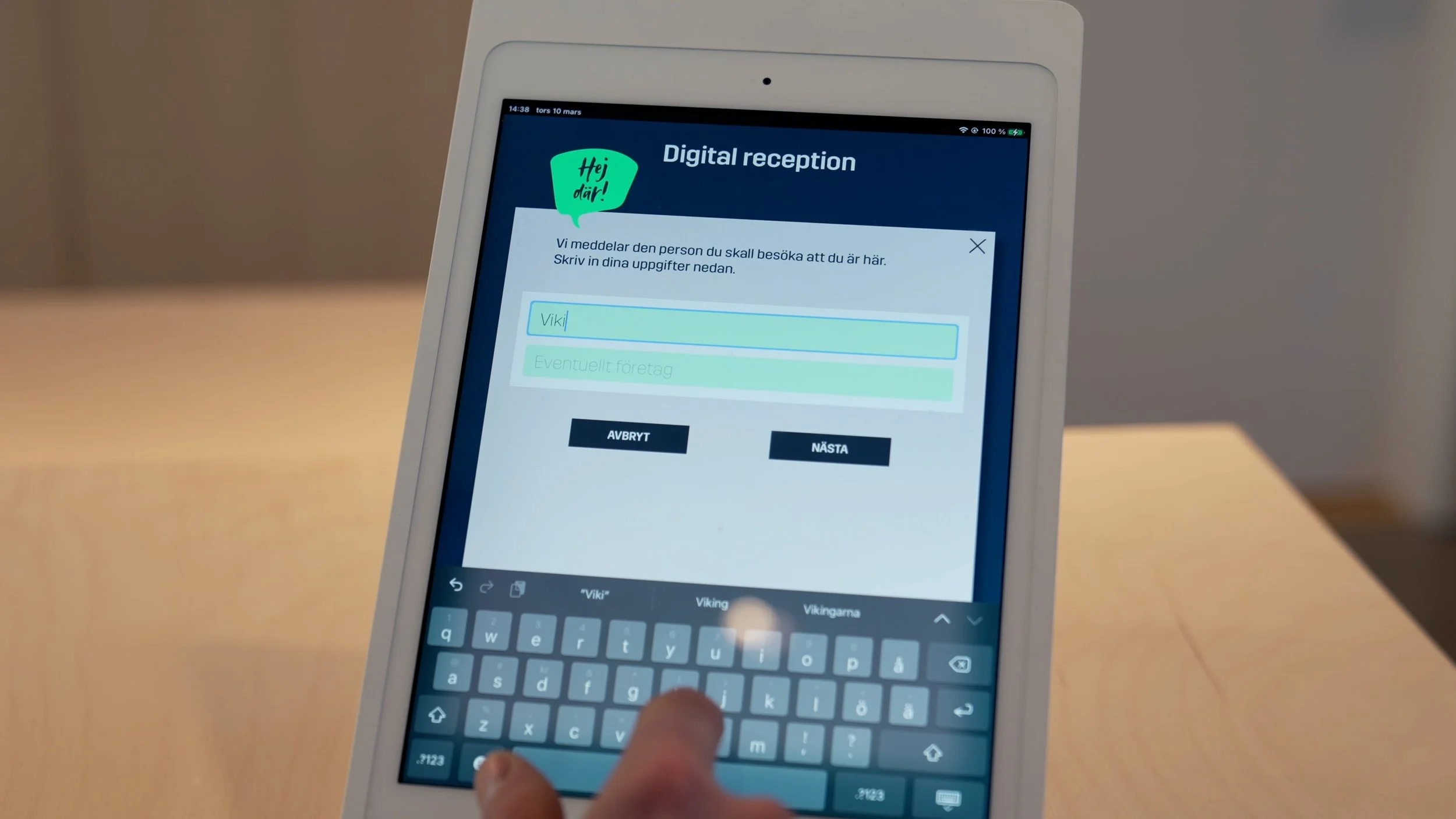
2. Digital Reception
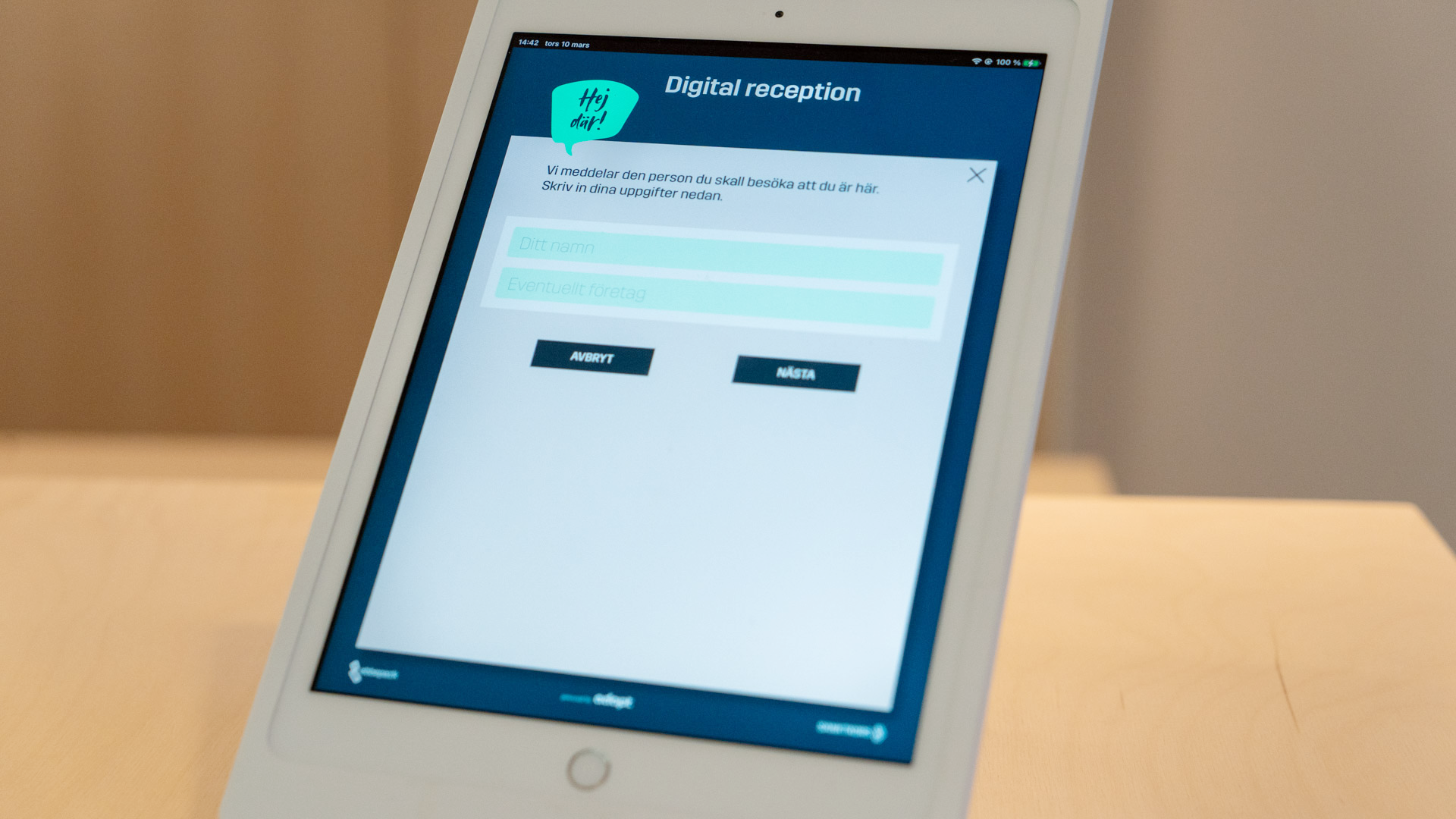
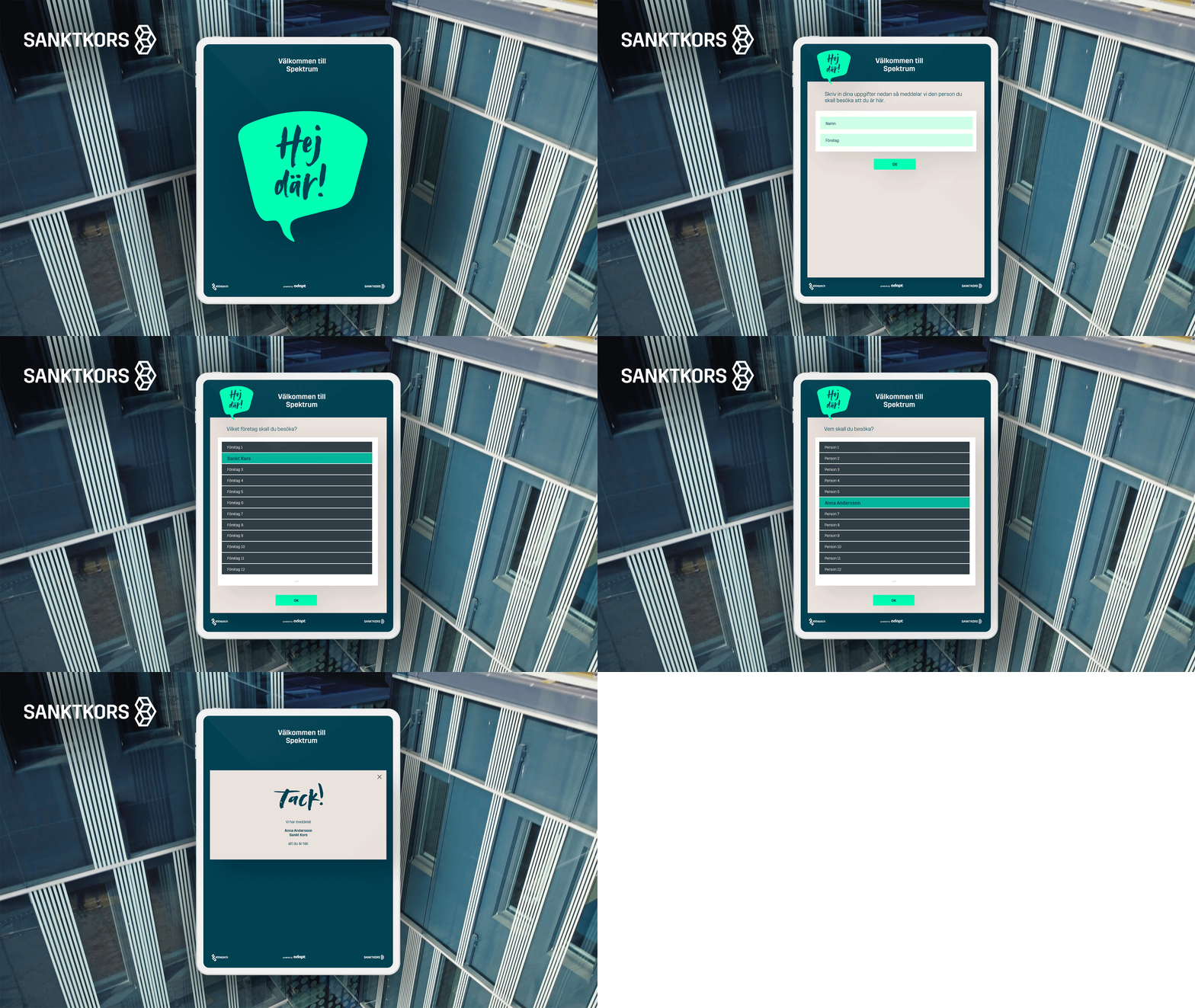
An iPad-based check-in system allowing visitors to announce their arrival and immediately notify the person they were visiting — without waiting in line at the front desk. The digital reception was never intended to replace the front desk team, but to release them from the most repetitive part of their role so they could focus on interactions that genuinely needed a human.
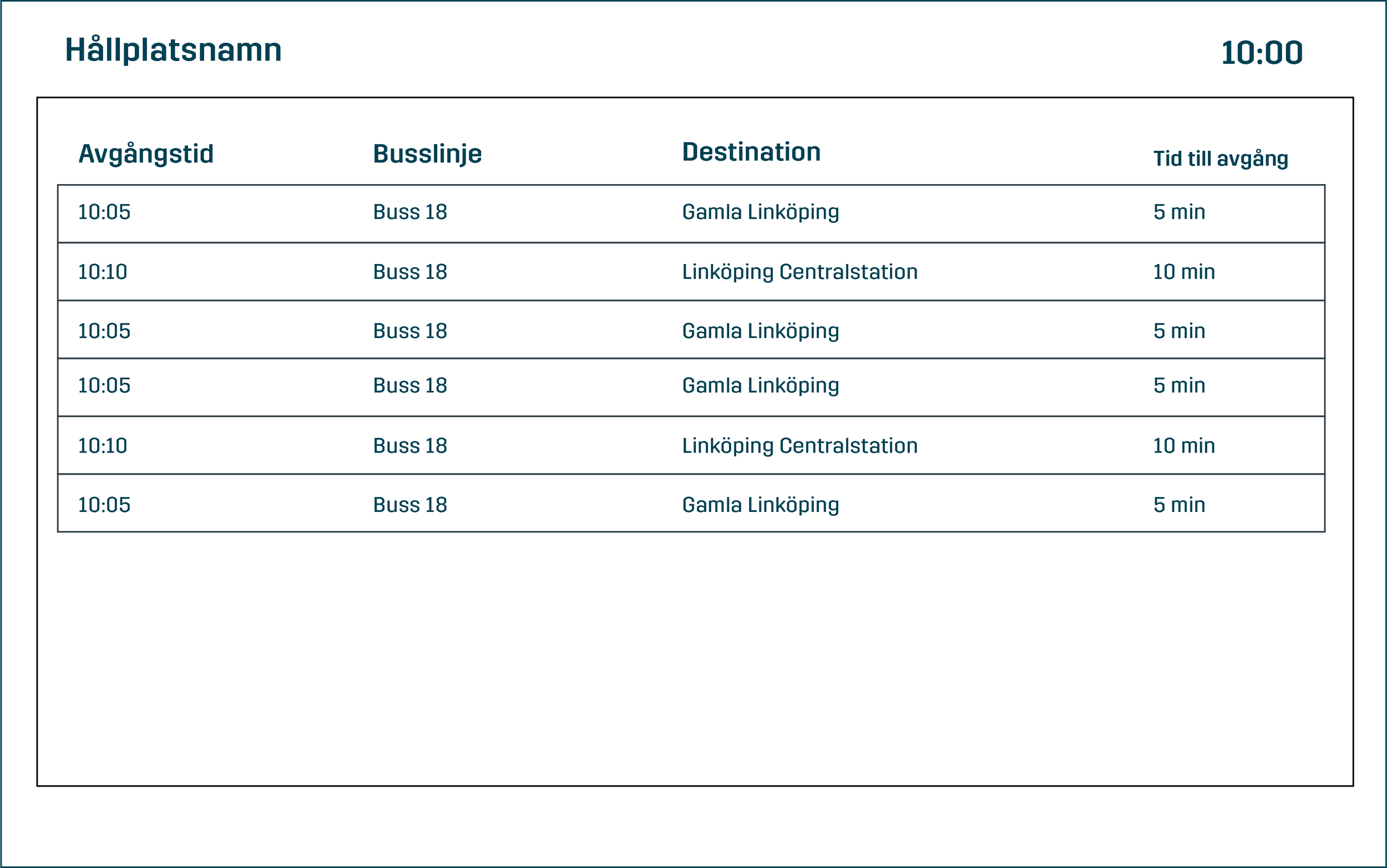
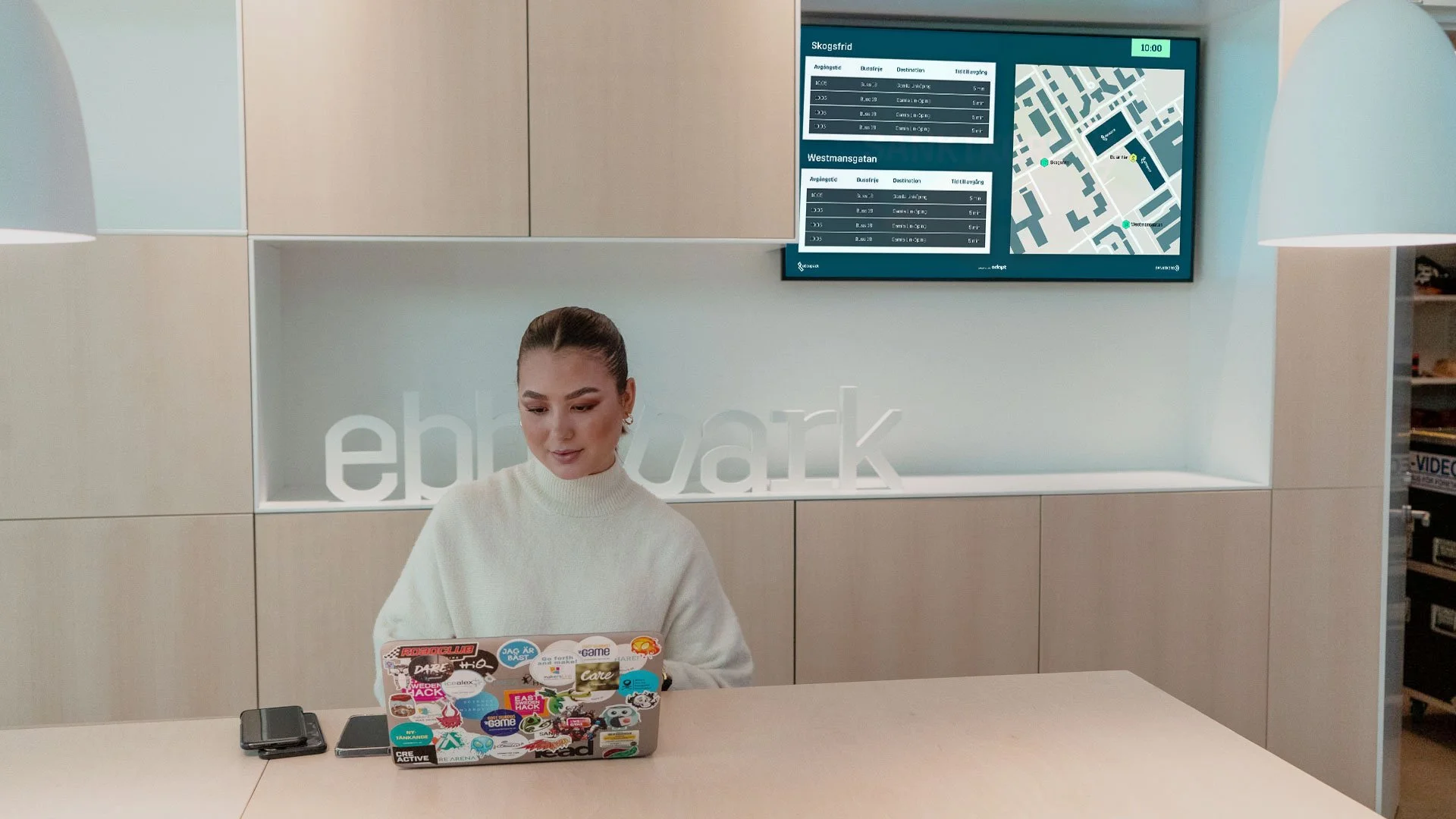
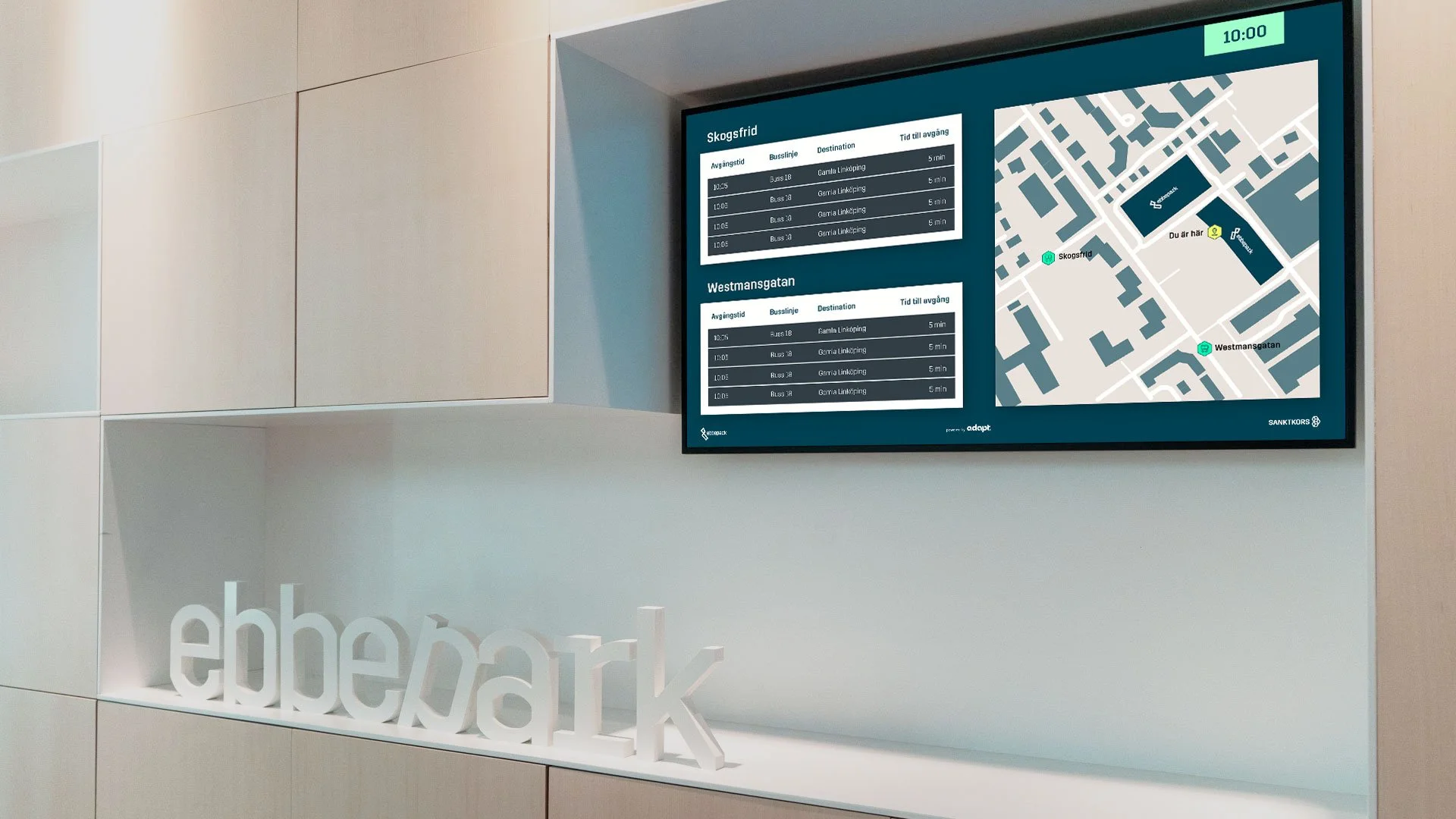
3. Local Transport & Information Screens
Screens placed throughout the building displaying live bus timetables for nearby stops, integrated via API, alongside a map showing walking distances and directions. The data updated in real time, allowing visitors to make informed decisions about which route to take and when to leave — without asking anyone.
This system went through a live iteration during deployment. Early feedback indicated that the map was difficult to read from a distance, so I increased contrast and adjusted the visual hierarchy to make it legible at the distances it was actually being viewed from. A small change with immediate impact.
4. Wayfinding & Navigational Signage
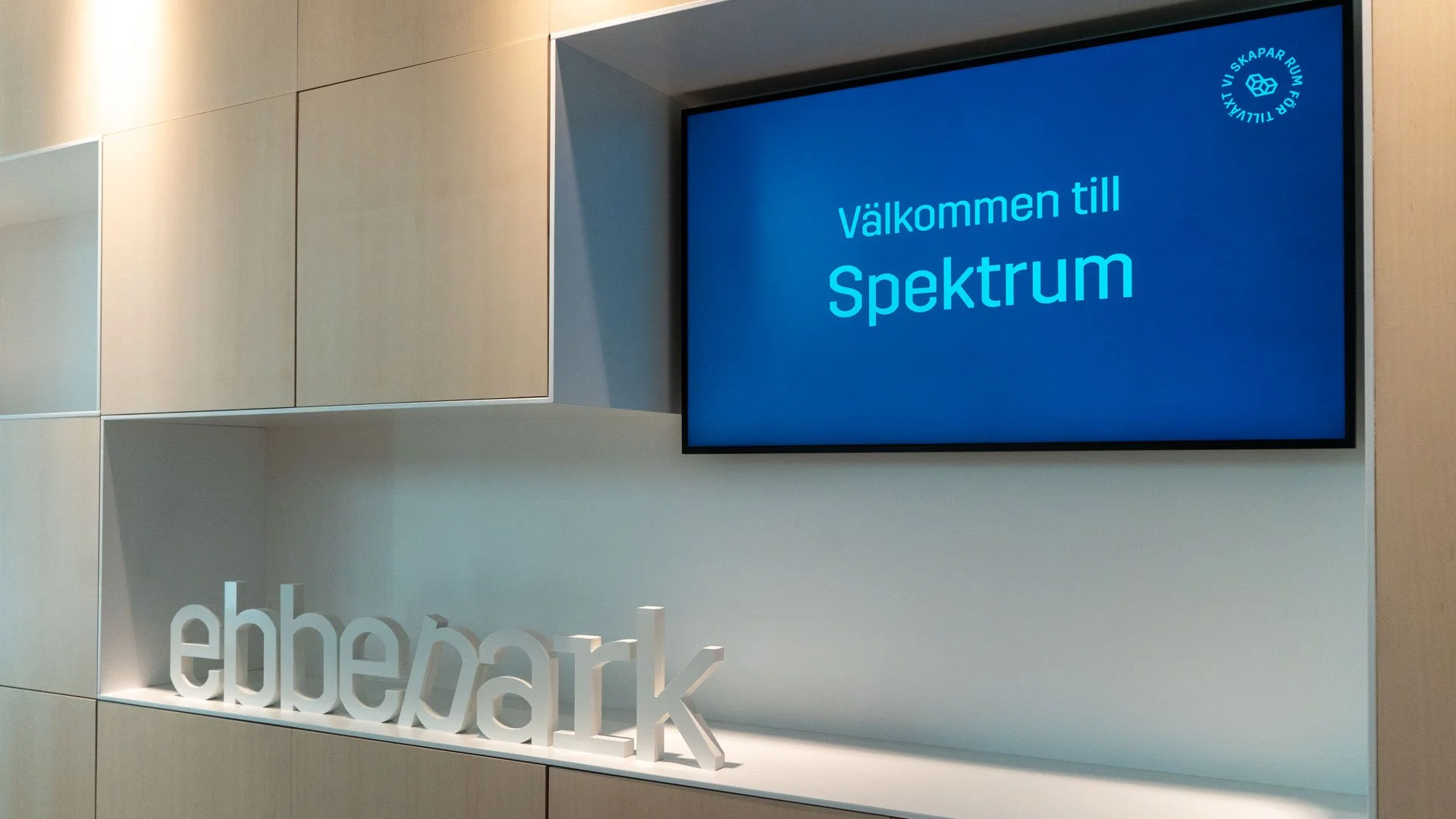
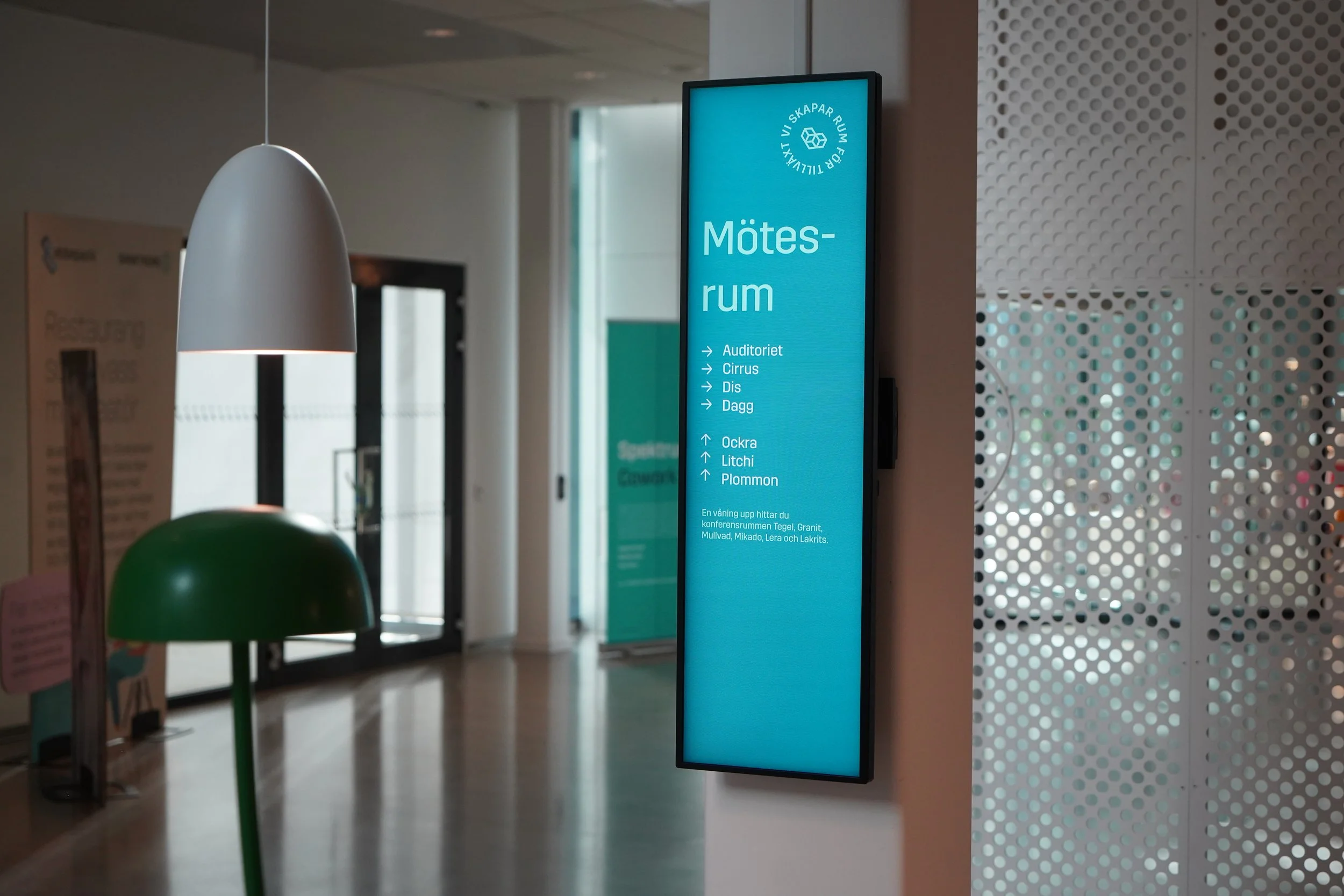
A system of digital and physical wayfinding signs designed to guide visitors to key areas of the building independently, reducing reliance on reception staff for directional information and easing pressure during peak hours.
The same screens also gave staff the ability to push messages and notifications to displays throughout the building at short notice — keeping the entire venue informed without requiring a physical presence.
Outcome"Only one in ten visitors needed to ask for directions directly. The rest found their way independently."
The results across all four touchpoints were measurable and immediate.
Directional questions to reception staff fell by approximately 90%. Before implementation, the front desk was overwhelmed with visitors asking for directions. After, only around one in ten visitors needed to ask directly — the rest found their way independently.
Check-in time improved significantly. On high-traffic days, removing the queuing element from the arrival process saved visitors several minutes and eliminated one of the most visible bottlenecks in the venue's flow.
The transport screens reduced transport-related questions to staff and proved particularly valuable for their real-time functionality — visitors could compare bus stops and departure times at a glance and make informed decisions about when to leave.
Tenant independence in meeting room operation was established from day one. With control panels in all eight rooms and access available from personal devices, tenants needed no technical training and no staff assistance to run their meetings.
The system has been running without significant changes or updates since launch — a signal not just that it works, but that it was built with enough clarity and resilience to remain useful as the venue has grown and evolved.